
Conversation
Stay with the moment.
Capture meetings, calls and ideas with the dedicated recorder.
Voice to text, Hera next
A memory you can search, revisit and ask about.
No mandatory subscription. 500 free minutes every month.


See Hera in action
Record the moment, bring it into the Hera App, then review the summary, decision and next step.
Capture meetings, calls and ideas with the dedicated recorder.
Review the transcript and a concise summary in the app.
 SILVER · FRONT VIEW
Hera hardware
Record meetings, calls and ideas with one button. Bring them into the Hera App to organize, search and ask about what matters.
Start with the recording button. Switch between Room and Call modes.
Sync over Wi-Fi or Bluetooth to manage them in the Hera App.
Search recordings and revisit transcripts, summaries and action items.
Ask Hera follow-up questions and return to the relevant conversation.
Color Silver
Choose Silver or Gray on the product page.
Made for real conversations
Start with the moments that matter most.
 Work
WorkCapture conversations without turning your attention into a note-taking session.
Explore meetings→ Calls
CallsPreserve the conversation for later review without tying up your phone.
Explore phone calls→ Ideas
IdeasCapture fast-moving ideas, then organize themes, evidence, questions and next steps.
Explore research→Hera: AI Memory & Recorder
Sync recordings, then transcribe, summarize, extract action items, ask AI questions and build searchable memory.
Ask AI questions about one meeting or search across multiple conversations, with sources for review.
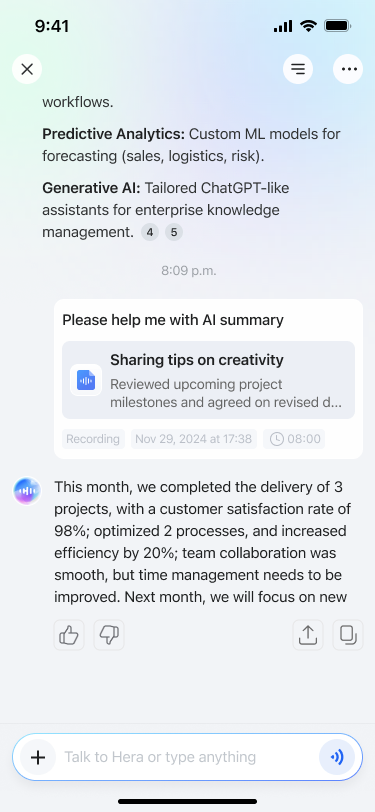
You agreed to keep launch focused on the new memory experience. Maya will send the revised brief by Friday.
After a real name is confirmed, related meetings and facts can stay connected across conversations.

Turn transcripts into concise summaries, decisions and action items.

DecisionPrioritize memory experience
Next stepMaya sends brief by Friday
Search, revisit and ask across conversations, with relevant source meetings kept in view.

Why not just use your phone?
Record on Hera. Keep using your phone.
| Moment |

|
|
|---|---|---|
| Starting it | Phone recording appUnlock. Find the app. Tap record. | Hera CardStart from the device. |
| Using your phone | Phone recording appTied up recording. | Hera CardFree for calls and apps. |
| Incoming calls | Phone recording appMay pause or stop. | Hera CardRecords independently. |
| Meetings & calls | Phone recording appDepends on the app. | Hera CardRoom and Call modes. |
Privacy & security
Hera is designed to give you clear control over when conversations are captured, synced, accessed and managed.
Good to know
Everything you need to know before getting started.
View product FAQs→Hera is for people with frequent or long meetings who need a complete, reliable record. Press once to capture meetings and in-person conversations, then quickly find the details you need without replaying the full recording.
Yes. Hera stores recordings locally, so your phone doesn’t need to stay connected while you record. Open the Hera app and your recordings sync automatically.
Ask what was decided, what needs to happen next, or where an idea came up before. Hera helps you find the answer—and return to the conversation behind it.
No paid subscription is required to get started. Every Hera includes 500 free transcription minutes each month, with optional plans when you need more.
Your recordings are stored locally on Hera, so you can record even when offline. Transcription and cloud sync only begin after you authorize them, and your audio and data are never used to train AI models.
From capture to recall, keep the moments that matter ready to use.
Shop Hera↗